
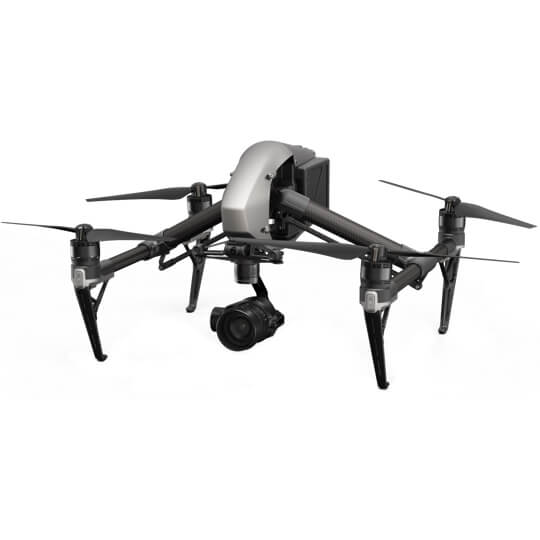
Cinematic aerial performance for filmmakers.
Description
The Inspire 1 was a revelation. The first filmmaking drone in the world to integrate an HD video transmission system, 360° rotating gimbal and a 4K camera,as well as the simplicity of app control. The launches of the Zenmuse X5 and X5R cameras further cemented the Inspire as a critical tool for filmmakers around the globe.
The Inspire 2 takes everything that was good about the Inspire 1 and improves it. The image processing system CineCore2.0 has been upgraded to CineCore2.1,recording video at up to 6K in CinemaDNG/RAW and 5.2K in Apple ProRes when used with Zenmuse X7 camera. It goes from 0 to 50 mph (80 kph) in just 5 seconds andhits a maximum speed of 58 mph (94 kph) and has a max descent speed of 9m/s for unheard of speed and agility in an aircraft this size. A dual battery systemprolongs the flight time to a maximum of 27 minutes (with an X4S), while self-heating technology allows it to fly even in low temperatures.FlightAutonomy has been revised and developed specifically for the Inspire 2, providing two directions of obstacle avoidance and sensor redundancy.Increased intelligence adds multiple intelligent flight modes, including Spotlight Pro, giving even single pilots the ability to create complex, dramatic shots.An upgraded video transmission system is now capable of dual signal frequency and dual channel, streaming video from an onboard FPVcamera and the main camera simultaneously, for better pilot and camera operator collaboration.
SPOTLIGHT PRO
Spotlight Pro is a powerful tracking mode that allows even single pilots to capture complex, dramatic images. It uses advanced visual tracking algorithms to lock onto a subject during flight,
regardless of the direction that the Inspire 2 flies, creating shots that would once have required a dedicated camera operator. If the gimbal comes close to reaching its rotation limits,
the Inspire 2 itself will rotate in the same direction without affecting flight control or the shot being captured to free up gimbal movement.
It has two shooting modes, Quick Mode and Composition Mode. In Quick Mode, select an object to begin tracking. In Composition Mode, select the subject and the tracking position.
When the subject enters the preset tracking position, press the shortcut to begin tracking. The gimbal can be moved during shooting for composition adjustments.
Spotlight Pro is available in Intelligent Flight Modes TapFly, Waypoint, and Point of Interest.

